Last date modified: 2026-Feb-05

Manually Merge and Unmerge Entities

If the system makes an error during entity normalization, you can correct it by merging or unmerging a record from an entity. The system will remember your updated decisions.

Unmerge Records from Entities

To manually unmerge Records from an Entity:
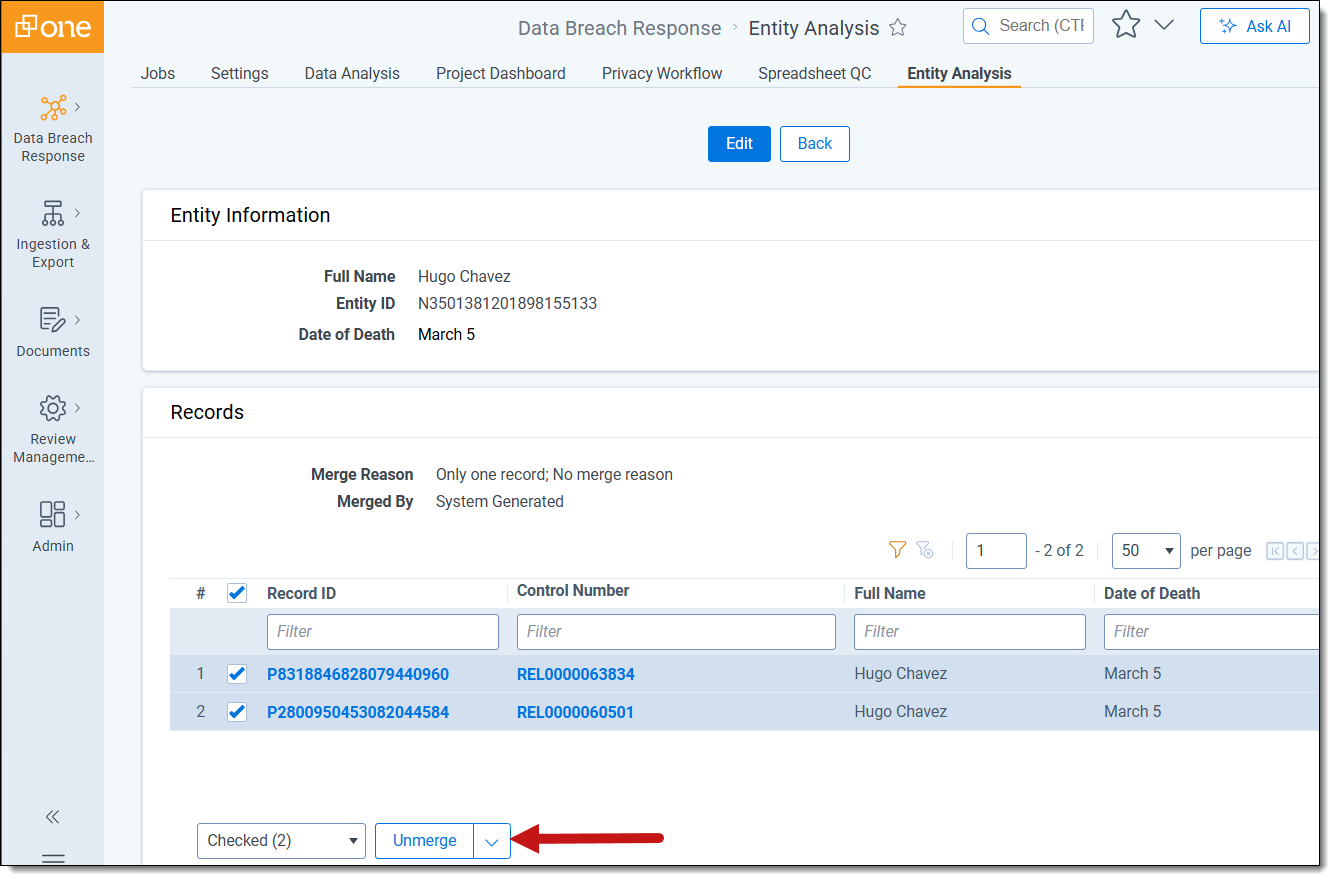
  1. Navigate to Entity Analysis and select the Entities tab.
  2. Select an Entity from the Entity list to open the Entity Detail view.
  3. From the Records section, select any records you want to unmerge from the Records list.
  4. Select the Unmerge mass action option.

    An imge of the Unmerge button
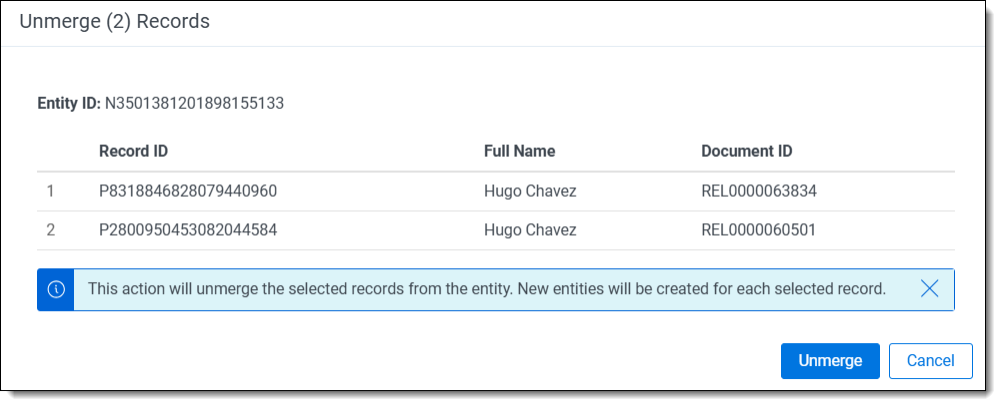
  5. Review the records set to be unmerged and click Unmerge to confirm.

    Unmerge dialog box

This action will unmerge the selected records from the entity. New entities will be created for each selected record.

Merge Entities

To manually merge Entities:

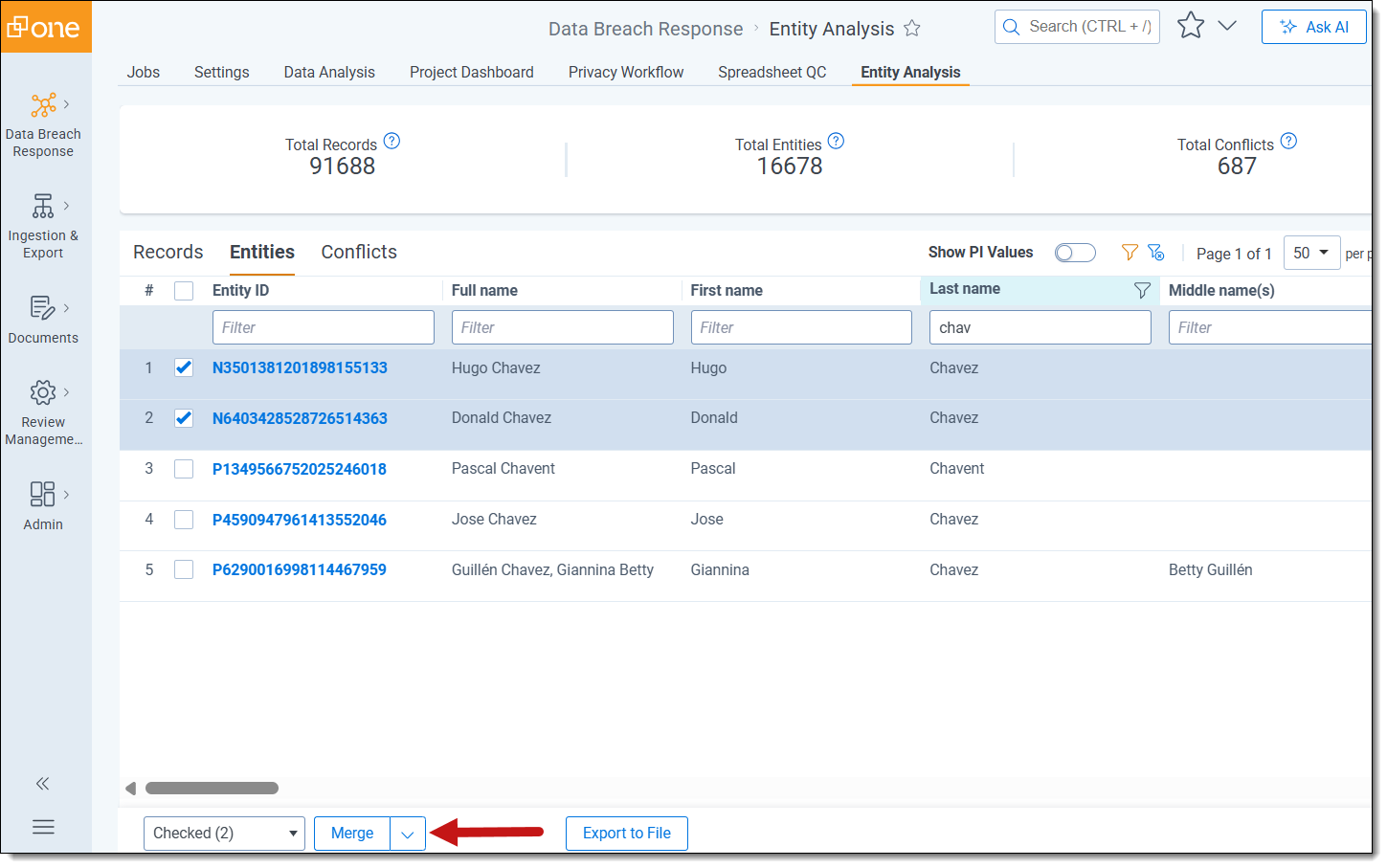
  1. Navigate to Entity Analysis and select the Entities tab.
  2. Select the checkbox next to each entity in the Entity List that you want to merge.

  3. Select the Merge mass action option.

    An image of the Merge button

  4. Review the Entities set to be Merged and click Merge to confirm.
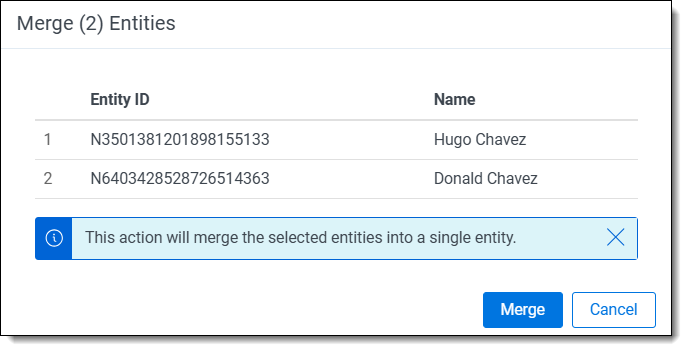
    Merge dialog box

This action will merge the selected entities into a single entity.

Merge Records

To manually merge Records:

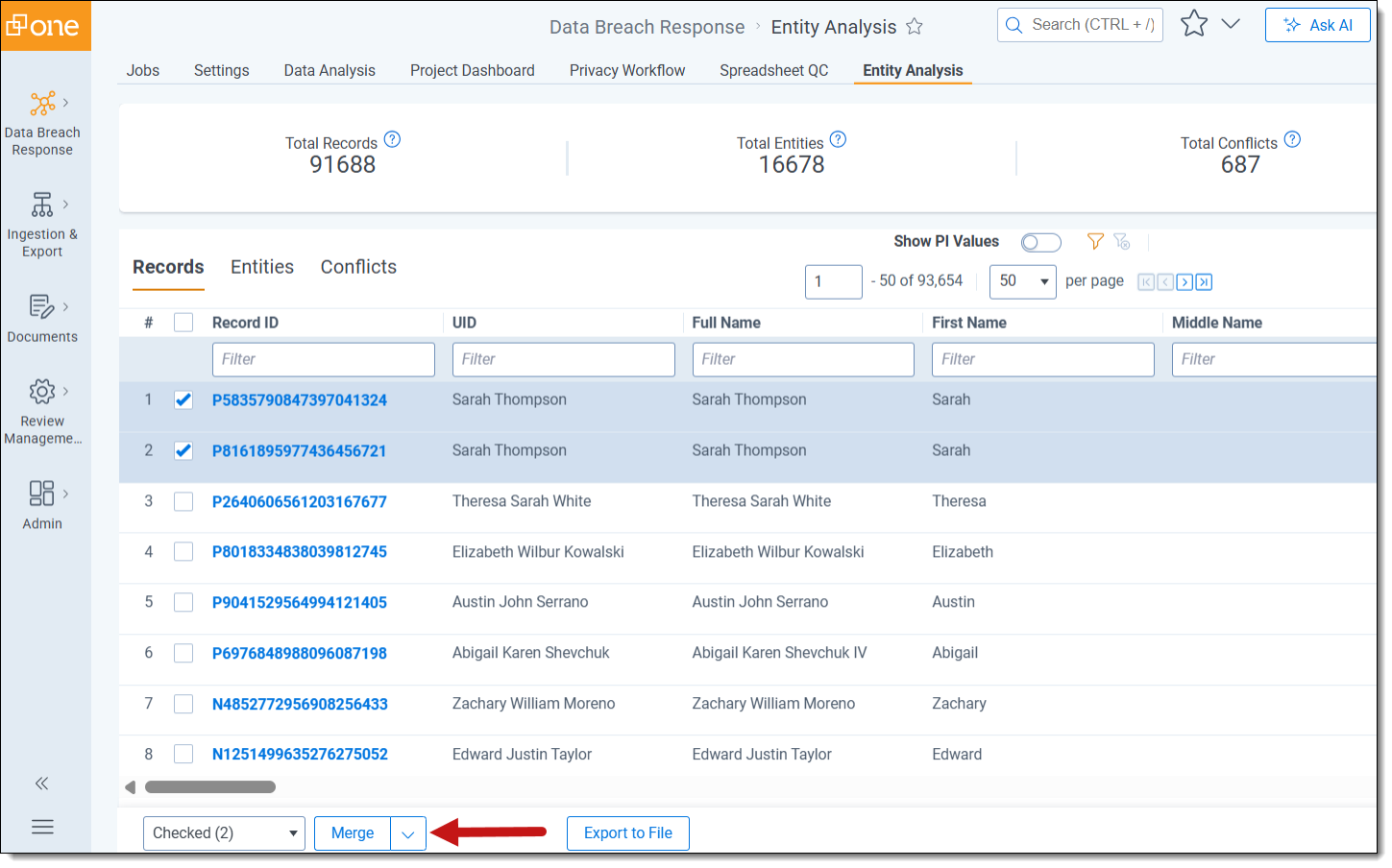
  1. Navigate to Entity Analysis and select the Records tab.
  2. Select the checkbox next to each record in the Records List that you want to merge.
  3. Select the Merge mass action option.

    .An imaghe of the Merge mass action button
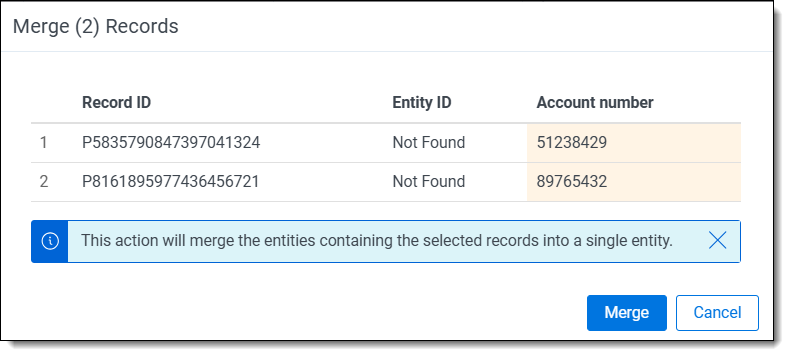
  4. Review the Records set to be Merged and click Merge to confirm.

    Merge dialog box

This action will merge the selected records into a single record.

If one or more of the records selected are part of an entity with other records, all records will be merged.
Return to top of the page
Feedback