


Feedback

Last date modified: 2026-Sep-25
During entity normalization, Data Breach Response may identify records that share some — but not all — Personal Information (PI) identifiers. These are called conflicts. A conflict occurs when two or more records have overlapping PI (such as a shared email address) but also contain contradictory PI (such as different SSNs), making it unclear whether they represent the same individual or different individuals.
After the normalization process completes, you can review conflicts on the Conflicts subtab under Entity Analysis. Resolving conflicts helps you determine whether entities should be merged or kept separate before you finalize your entity report.
To review conflicts after normalization:
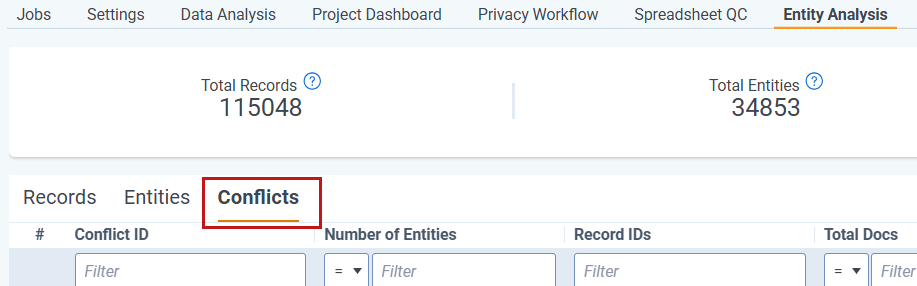
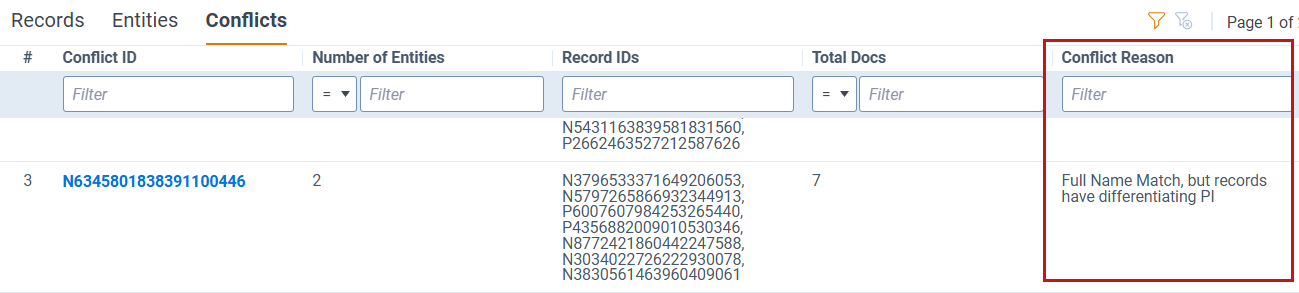
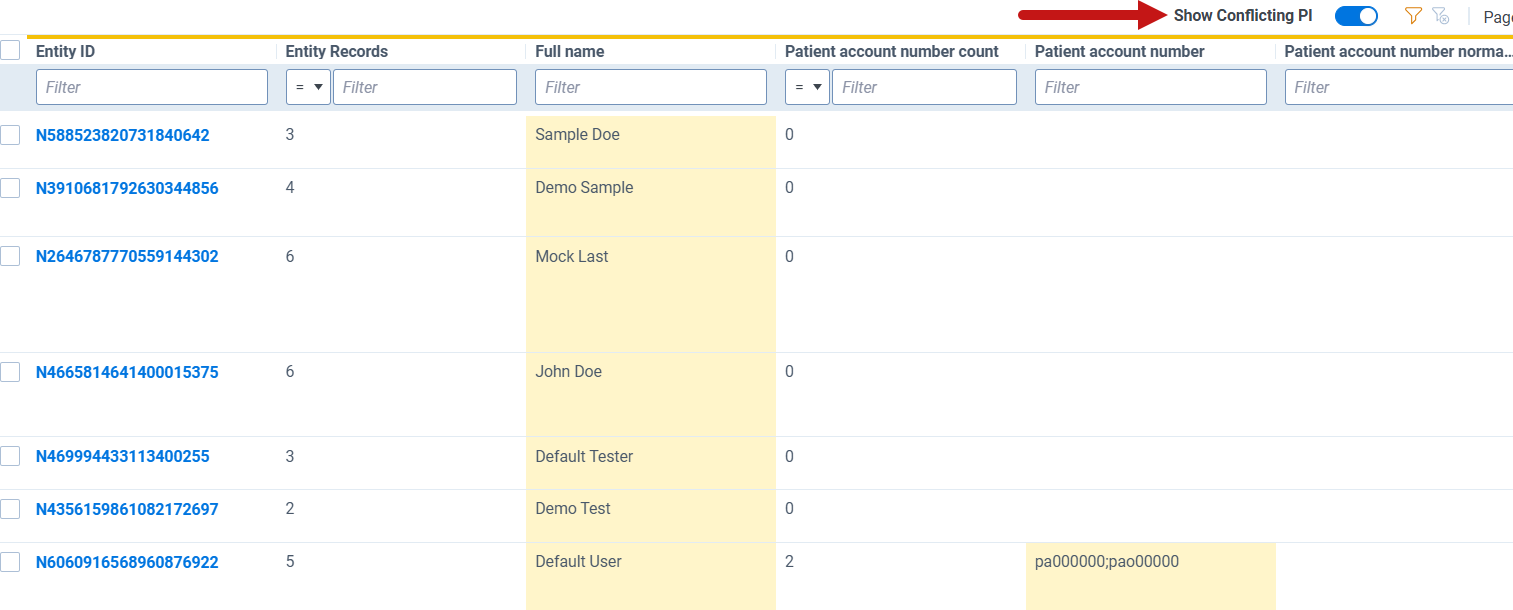
Use the following workflow to prioritize your conflict review:
After resolving all conflicts, sort clusters by size in descending order and review large clusters for entities with similar names that may need to be merged.
For Cluster review:
The following are definitions of fields found within the Conflicts subtab.
| Field | Description |
|---|---|
|
Conflict ID |
Unique identifier for that conflict |
|
Number of Entities |
Number of entities in the conflict cluster |
|
Total Docs |
Total documents containing records affected by this cluster |
|
Conflict Reason |
Reason there is a conflict for this group of entities |
|
Total Conflicts |
Number of conflicts |
|
Primary Conflicts |
Specific list of conflicting PI Types that are also primary PI types based on your Data Analysis categorization. |
|
Secondary Conflicts |
Specific list of conflicting PI Types that are also secondary PI types based on your Data Analysis categorization. |
|
Tertiary Conflicts |
Specific list of conflicting PI Types that are also tertiary PI types based on your Data Analysis categorization. |
|
Status |
Review status of the conflict cluster:
|
|
Resolved By |
The name of the user who reviewed or is reviewing the conflict cluster |
|
Resolved On |
Time stamp of when the user marked the conflict cluster as reviewed |
During normalization, Data Breach Response compares records based on three categories of identifiers:
You configure which PI types are primary, secondary, or tertiary in your Data Analysis categorization settings.
The following table shows example scenarios where conflicts are generated and what each match result means.
| Scenario | Name | Primary | Secondary | Tertiary | Example Alias 1 | Example Alias 2 |
|---|---|---|---|---|---|---|
| Names match or are similar, but primary identifiers do not match. Tertiary identifiers match. | Match | No match | - | Match |
Name: John Smith SSN: 223-55-6788 Email: jsmith@gmail.com |
Name: John Smith SSN: 123-45-6789 Email: jsmith@gmail.com |
| Names match or are similar. There is not enough information on primary identifiers to compare. Secondary identifiers do not match. Tertiary identifiers match. | Match | Not enough info | No match | Match |
Name: John Smith Email: jsmith@gmail.com DOB: 01/20/1990 |
Name: John Smith Email: jsmith@gmail.com DOB: 12/10/1970 |
| Names match or are similar. There is not enough information on primary identifiers to compare. Secondary identifiers do not match. Tertiary identifiers match. | No match | Match | - | - |
Name: John Smith SSN: 123-45-6789 DOB: 01/20/1990 |
Name: David Johnson SSN: 123-45-6789 |
| Names are not similar and primary identifiers do not match. Tertiary matches. | No match | No match | - | Match |
Name: John Smith SSN: 123-45-6789 Email: jsmith@gmail.com |
Name: Adam Brown SSN: 623-65-6678 Email: jsmith@gmail.com |
| Names are not similar and there is not enough information on primary identifiers to compare. Tertiary matches. | No match | Not enough info | - | Match | Name: John Smith Email: jsmith@gmail.com | Name: David Johnson Email: jsmith@gmail.com |
