Feedback

Last date modified: 2026-Sep-18
Incorporating metadata mapping helps improve how Assist retrieves documents by allowing the AI model to use structured metadata as part of the retrieval process, in addition to semantic relevance. This leads to more accurate, context appropriate results when answering user questions.
Assist uses a hybrid retrieval approach when metadata mapping is configured:
By restricting semantic search to documents that already meet the relevant metadata criteria, Assist helps to reduce noise and improves ranking quality. This approach is more precise than relying on semantic search alone. For more information on Assist's usage of a Retrieval-Augmented Generation (RAG) architecture, see Understanding Assist responses.
Without metadata filtering, semantically related but contextually incorrect documents (for example, the wrong time period or sender) may be included in retrieval. This can negatively impact answer quality. Metadata mapping helps ensure that Assist reasons over documents that are valid for the question being asked, reducing the likelihood of incorrect or over generalized responses.
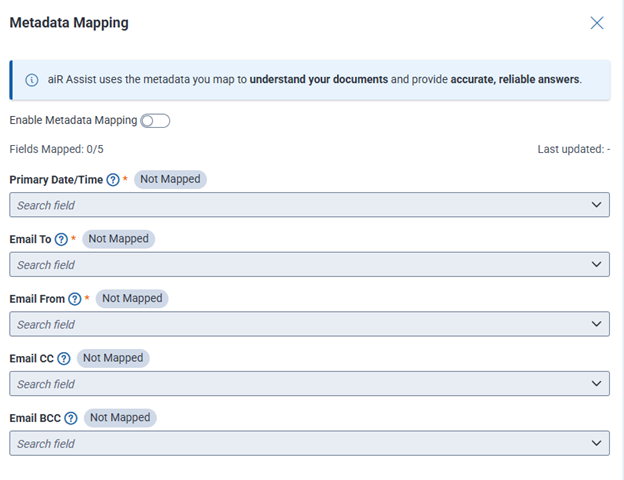
Assist supports five pre-configured mapping fields: Primary Date/Time, Email From, Email To, Email CC, and Email BCC. New ones cannot be added.
Workspace administrators can configure how standard metadata fields are mapped to their specific workspace-related fields, with field names and IDs uniquely assigned to each workspace.
| Field | Field type | Required field | Description |
|---|---|---|---|
| Primary Date/Time | Date/Time | Required | Used to understand when document was created or sent in queries that require date/time filters. |
| Email To | Long text | Required | Used to identify the email addresses to which the email was sent in queries pertaining to emails or specific participants. |
| Email From | Fixed-length text | Required | Used to identify the email address that sent the email in queries that ask about emails or specific participants. |
| Email CC | Long text | Optional | Used to identify the email addresses included as carbon copy (CC) recipients in queries pertaining to emails or specific participants. |
| Email BCC | Long text | Optional | Used to identify the email addresses included as blind carbon copied (BCC) in queries that ask about emails or specific participants. |
The re-indexing process may take some time to complete. To view its progress, access the Index Manager. For more information, see Monitoring the index build process.
Audit logs capture this action. See Auditing user activity for more information.
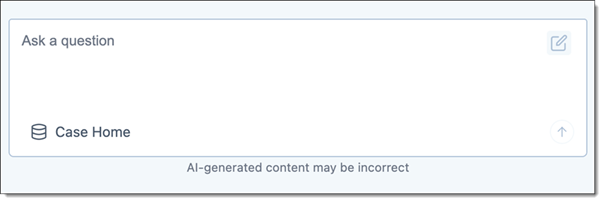
The Use Metadata toggle displays in the prompting Ask a question box if Metadata Mapping is enabled. Each user can choose whether or not to leverage metadata for their inquiry by toggling Use Metadata on or off. See Prompting for details.