Interactive Memo Drafter Advanced Access
Advanced Access (AA) indicates that this feature is available for evaluation by a limited set of Relativity aiR customers before the General Availability (GA) release.
The functionality described in this topic may not be available in all Relativity aiR environments at this time and may not represent the functionality, appearance, or behavior of the GA release version of this feature.
You can create Case Strategy memos using Assist by prompting the agent. Since you provide the information and structure you're looking for, memo creation is tailored to your needs. The Interactive Memo Drafter also lets you use natural language to prompt memo creation and you can quickly switch between memo creation and researching documents by asking Assist questions. To learn more, see Assist.
To create memos using Assist:
- Index the documents that you wish to use for creating memos using either of the following methods:
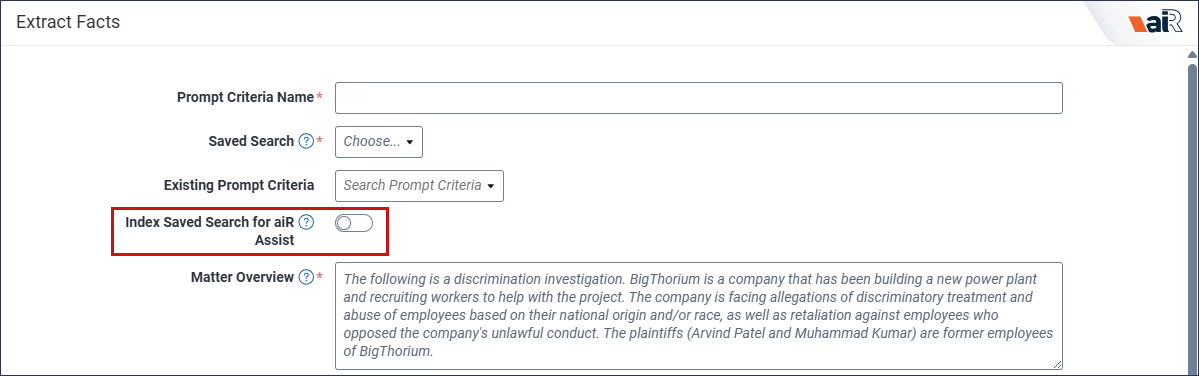
- Using Case Strategy, create a fact chronology with the Index Saved Search for Assist option enabled. The documents in the saved search are then available as an index in Assist. To learn more, see Creating a fact chronology.
- Using a saved search, create an index using Index Manager in Assist. To learn more, see Working with indexes.
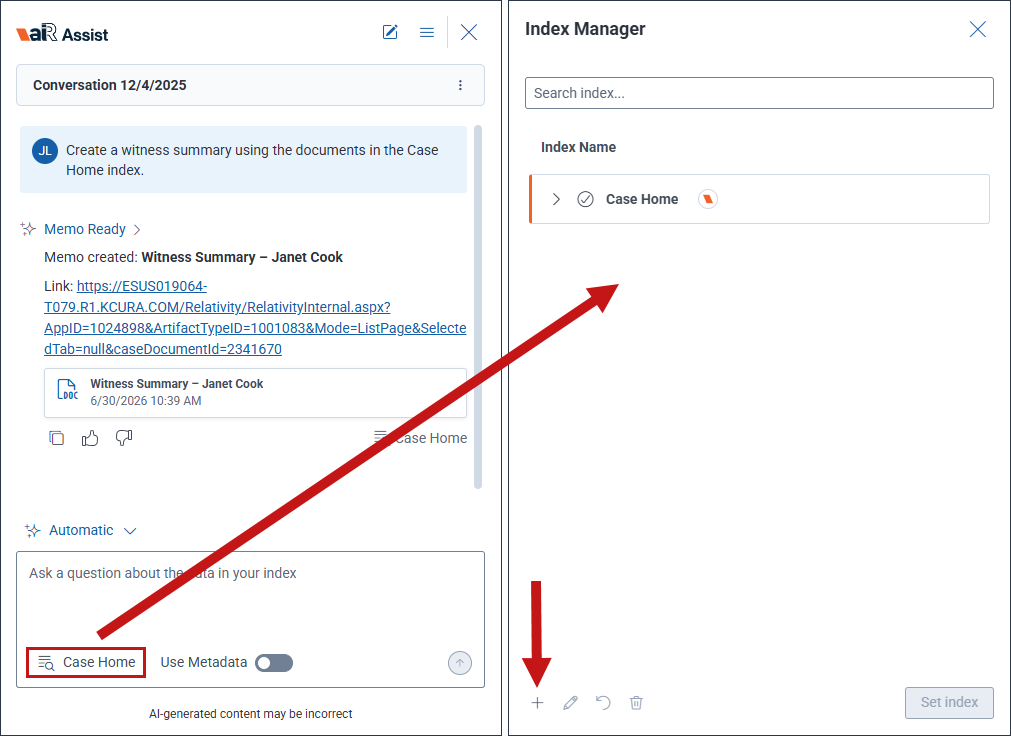
- Open Assist by clicking on its icon in the Sidebar.
- Select Interactive Memo Drafter from the Agent picker in Assist.
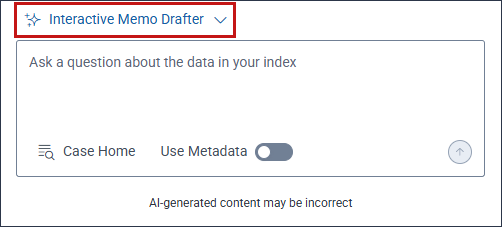
- Enter your prompt in the Ask a question box using natural language, as if chatting with a person.
- Click on the Send Message up arrow icon to submit the prompt.
Assist displays a response that includes a link to the newly created memo.
- Click on the link to open the memo in the Case Home tab.
All documents created with the Interactive Memo Drafter are stored in the AI Draft folder of the Case Documents widget.


