


Feedback

Last date modified: 2026-Sep-25
The Blocklist is a list of excluded PI Values. You can use Blocklisting to identify personal information (PI) values that are not relevant for review or were falsely tagged, and then add those values to the Blocklist to prevent them from being identified again. Adding a term to the Blocklist removes all annotations for that term across the document set, any links associated with those annotations and all references to that term on the entity report. 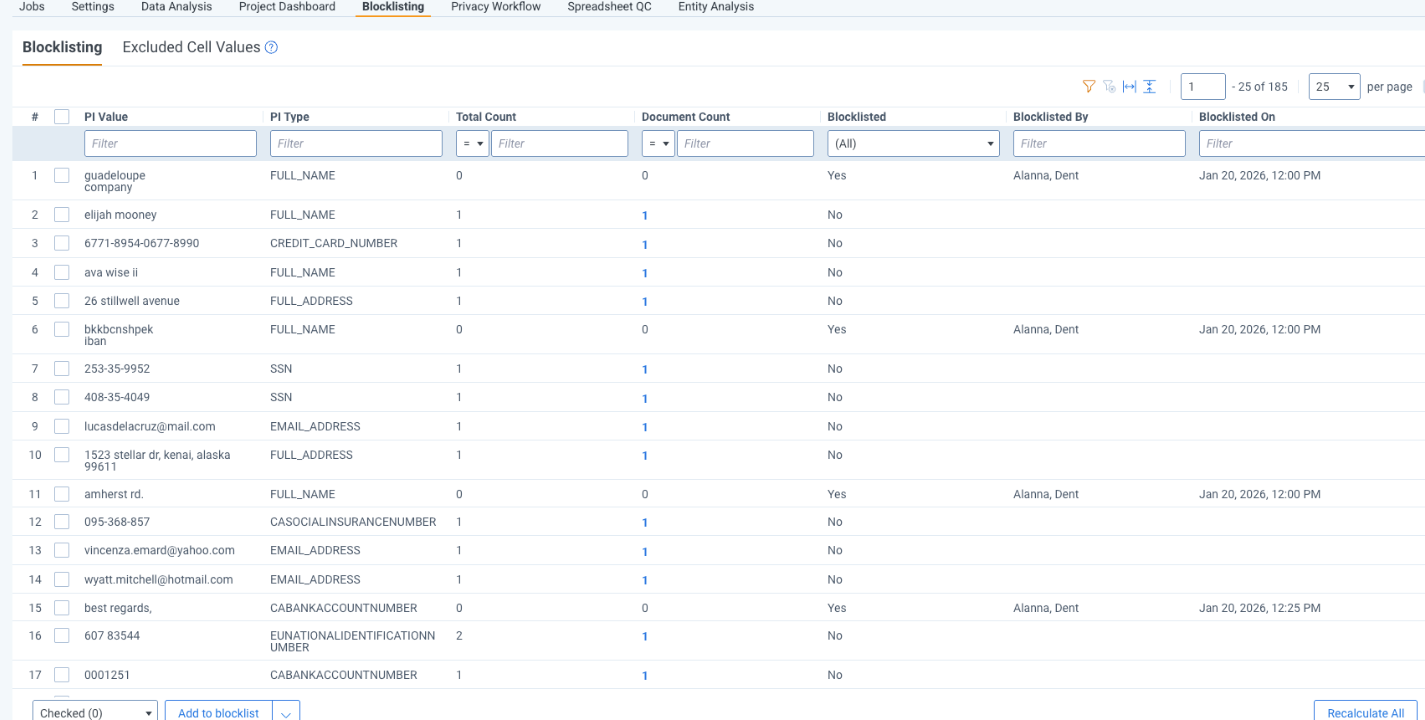
With Blocklisting, you can:
Blocklisting is only available for users with the Data Breach Response - Lead permission.
For more information on permissions, see User roles and permissions.
The Blocklisting tab shows all terms that have been identified as PI. From here, you can add these terms to the Blocklist. You can also view terms that have been added to the Blocklist and remove them from the Blocklist.
The Blocklisting table has the following columns:
| Column | Description |
|---|---|
|
PI Value |
The value that was identified as PI |
|
PI Type |
The PI Type the value is currently assigned |
|
Total Count |
The total number of times the PI value appears across all documents |
|
Document Count |
The total number of documents the PI value appears on |
|
Blocklisted |
Whether or not the PI value has been added to the Blocklist There are two possible values:
|
|
Blocklisted By |
If the value is on the Blocklist, this column contains the name of the user who completed the action. |
|
Blocklisted On |
If the value is on the Blocklist, this column contains the timestamp of when the action was completed. The timestamp format reflects the date format configured in your browser settings. |
The Excluded Cell Values tab shows cell values from structured documents where the column was identified to contain PI, but the cell value shown does not match the expected pattern associated with the PI type of the column itself. Therefore, these values are not being identified as PI and won’t be linked to an entity or appear on the entity report.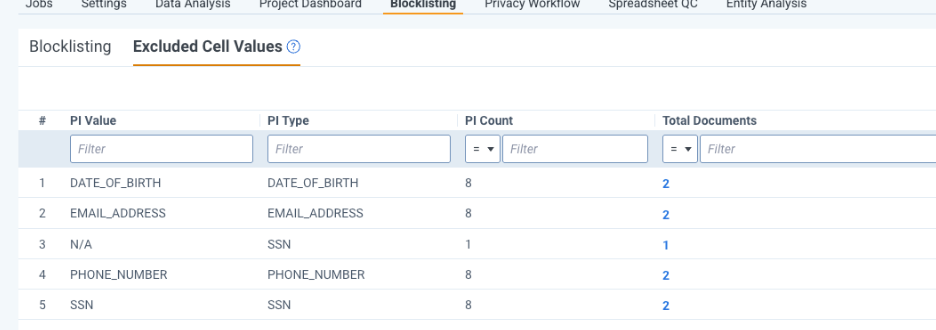
The Excluded Cell Values table has the following columns:
| Column | Description |
|---|---|
|
PI Value |
The value of the cell being excluded |
|
PI Type |
The PI type assigned to the column that contains the excluded cell value |
|
PI Count |
The total count of the PI value across structured documents |
|
Total Documents |
The count of documents the PI value appears on |
Reviewing and blocklisting terms is a key step in refining your PI detection results and ensuring that your analysis focuses on the information that matters. This stage allows you to evaluate detected PI values, prioritize those with the greatest impact, and curate a Blocklist that improves accuracy across your project. By filtering high‑volume detections, examining priority PI types, and managing both additions to and removals from the Blocklist, you maintain control over how PI is interpreted and annotated. Because updates only take effect after rerunning the Blocklisting and Compile Insights stages, this process becomes an essential, iterative part of maintaining clean, reliable data throughout your review.
To get the highest return from Blocklisting, review terms in the Blocklisting tab after selecting your PI detectors, after running Data Analysis for the first time, and prior to review. These workflows can also be executed during the review process.
Following is the suggested method of prioritizing terms for review:
If you identify a term that you want to add to the Blocklist:
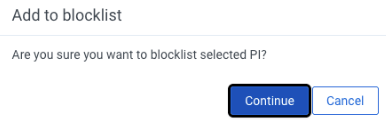
The Blocklisted column updates to Yes, and the Blocklisted By and Blocklisted On columns display the name of the user who completed the action and the date.
Once you have finished blocklisting PI values, rerun the Blocklisting and Compile Insights stages of Data Analysis.
This updates the PI annotations on the documents and PI counts on the Project Dashboard and Blocklisting tabs.
PI values that are currently on the Blocklist have a value of Yes in the Blocklisted column.
To remove PI values from the Blocklist:
The Blocklisted column updates to No.
After you remove PI values from the Blocklist, rerun the Blocklisting and Compile Insights stages of Data Analysis. This updates the PI annotations on the documents and PI counts on the Project Dashboard and Blocklisting tabs.
During PI detection in structured documents, Data Breach Response identifies table columns that contain PI and analyzes individual cell values to confirm they match the expected format for the column's PI type. For example, if a column is named Passport Number, Data Breach Response checks each cell value to confirm it matches the format of a passport number. If a cell value does not match the expected format, Data Breach Response excludes it from PI detection and displays it on the Excluded Cell Values tab for transparency.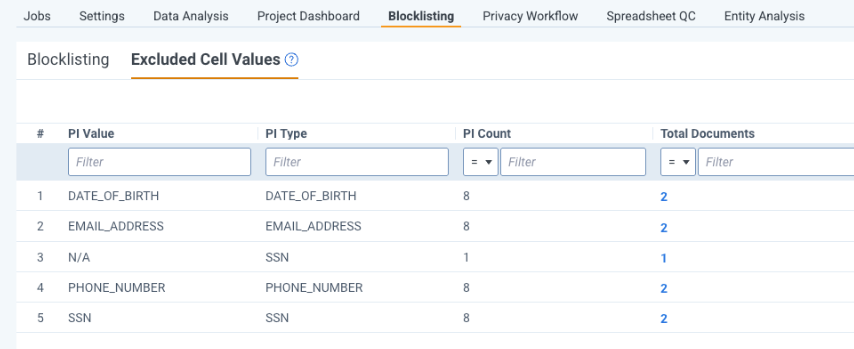
For values that have been excluded for the reasons above, you can choose to override this decision so they are included as PI using the Include mass action.
To override Excluded PI values:
Review the following considerations before and during blocklisting to ensure accurate PI detection results across your project.
Only 200 terms can be selected and added to the Blocklist at a time.
