Last date modified: 2026-May-08
Feedback options (Advanced Access)
Advance Access (AA) is an opportunity to evaluate and work with Relativity features prior to the General Availability (GA) release. Relativity customers typically participate in AA programs on a feature-by-feature basis. The functionality described in this
aiR Assist provides ways to submit feedback about the responses generated.
Feedback controls for responses (thumbs up/thumbs down)
The feedback buttons on the response modal allow you to evaluate the quality of the generated response:
- Thumbs Up—click the thumbs up icon to indicate the response was accurate, useful, or aligned with expectations. Optionally, enter detailed comments in the text box explaining why you gave it a thumbs up and click Submit.
- Thumbs Down—click the thumbs down icon to indicate the response was incomplete, incorrect, unclear, or not aligned with expectations. Optionally, enter detailed comments in the text box explaining why you gave it a thumbs down and click Submit.
Feedback submitted through these controls is collected in the background and used to:
- Monitor overall answer quality
- Identify recurring issues
- Improve future model behavior and tuning
See Navigating responses for additional information on the response modal.
In-product feedback survey
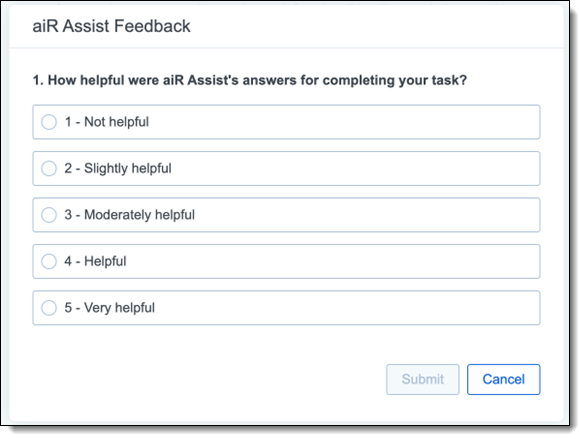
You may occasionally be presented with a short feedback dialog within the aiR Assist asking how helpful were aiR Assist’s responses for completing your task. Options include: Not helpful, Slightly helpful, Moderately helpful, Helpful, and Very helpful. Your choice selection to this quick question helps us understand how aiR Assist supports real-world workflows and where it delivers the most value.