Manually Merge and Unmerge Entities
During entity normalization, Data Breach Response automatically groups records into entities based on name similarity and Personal Information (PI) matches. If the system makes an error during this process, you can manually correct it by merging or unmerging records and entities.
The following terms are used throughout this topic:
- Record — a pairing of a raw name and PI data extracted from documents. Records are evaluated against each other to determine if they should be consolidated into an entity.
- Entity — a unique individual identified by their name and PI, such as SSN, date of birth, and full address. Entities are composed of one or more records.
Merge Entities
When you merge entities, the selected entities are combined into a single entity.
To manually merge Entities:
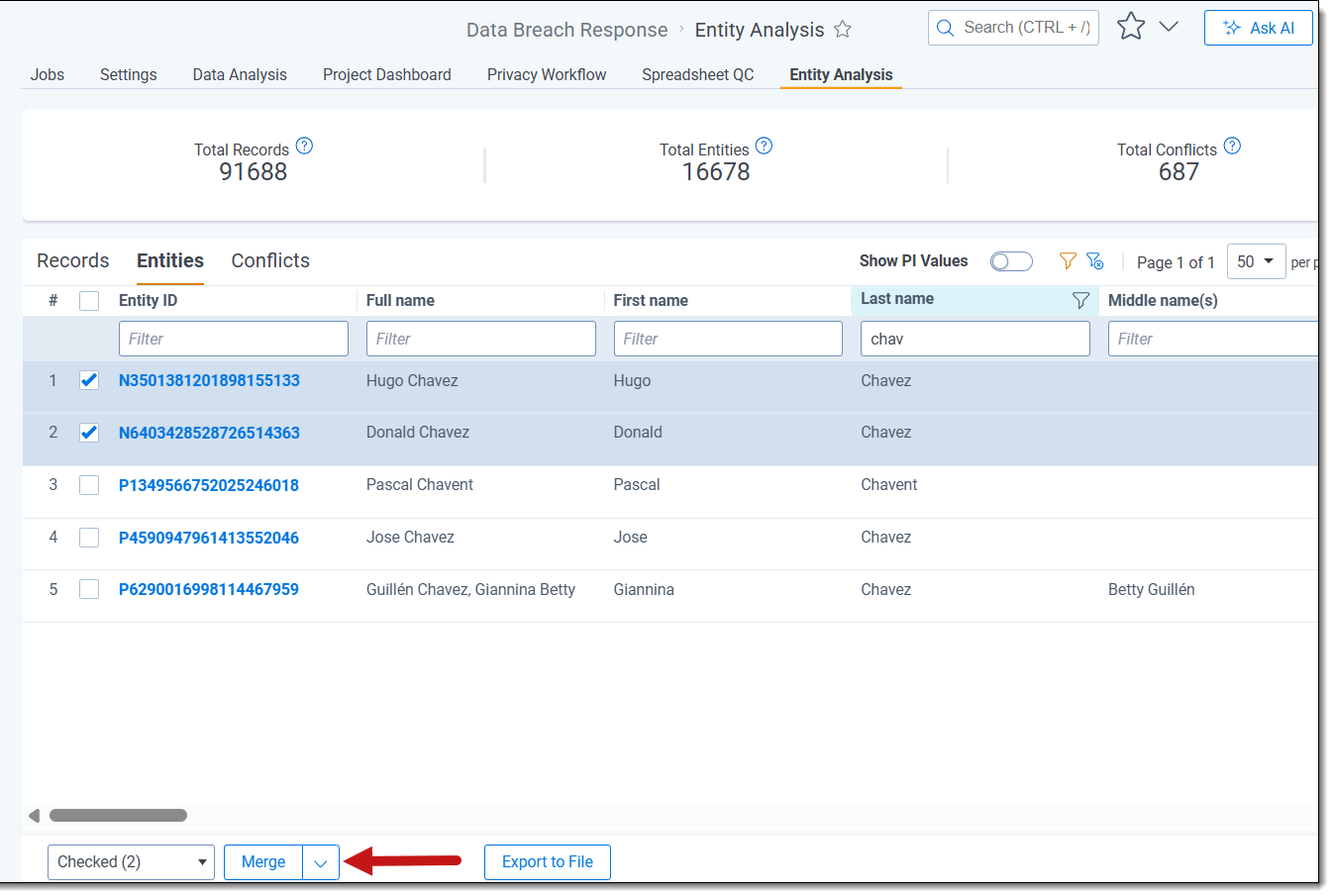
- Navigate to Entity Analysis and select the Entities tab.
- Select the checkbox next to each entity in the Entity List that you want to merge.
- Select the Merge mass action option.
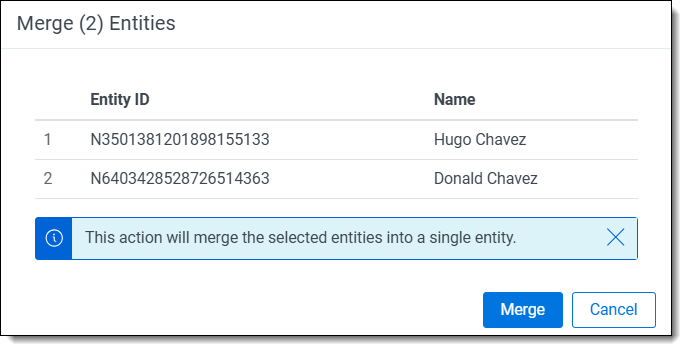
- Review the Entities set to be Merged, and click Merge to confirm.
Merge Records
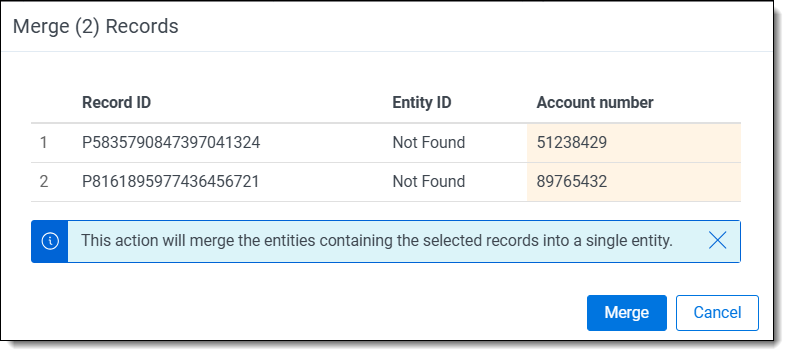
When you merge records, the selected records are combined into a single entity.
If one or more of the selected records are part of an entity that contains other records, all records in those entities are included in the merge.
To manually merge Records:
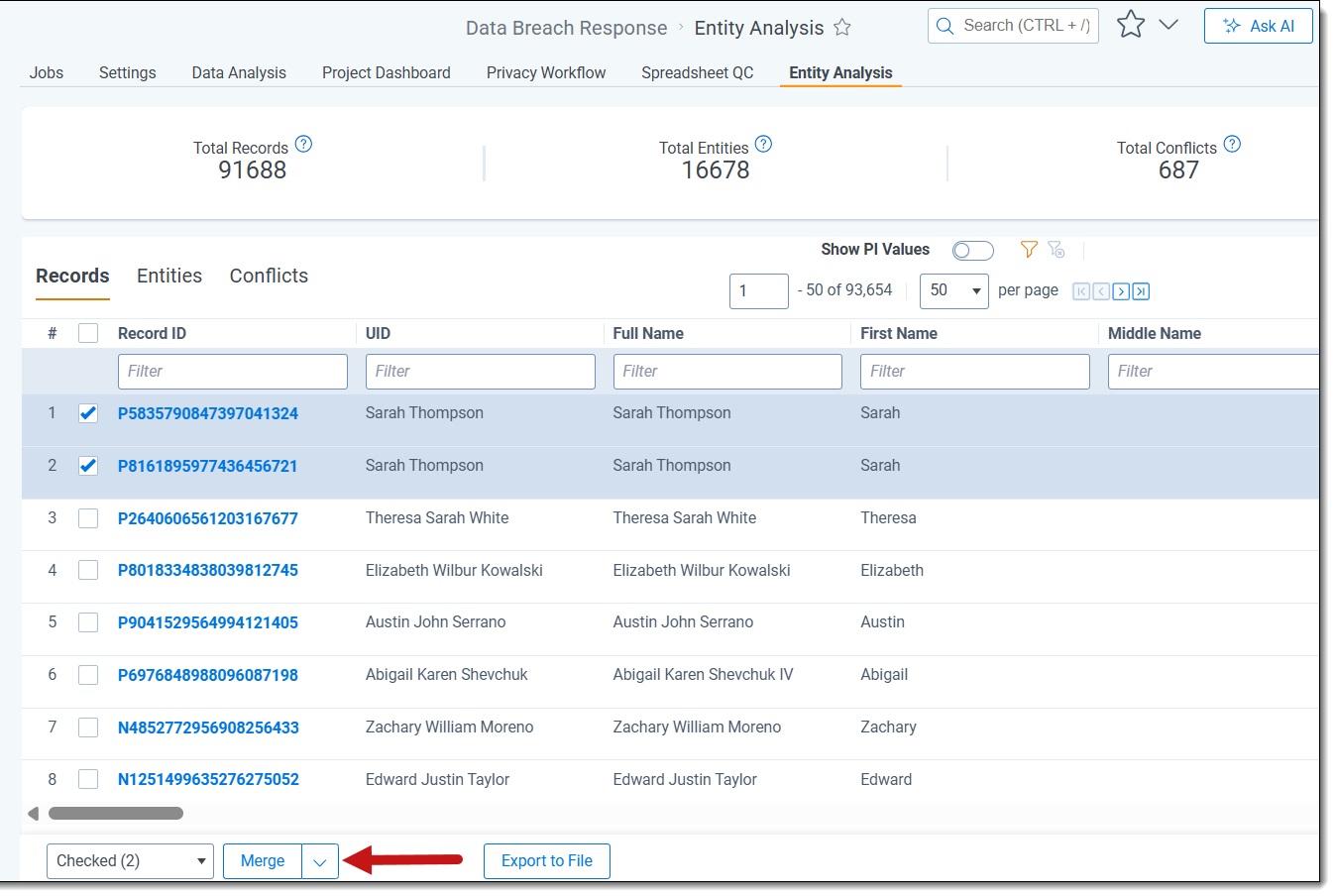
- Navigate to Entity Analysis and select the Records tab.
- Select the checkbox next to each record in the Records List that you want to merge.
- Select the Merge mass action option.
.
- Review the Records set to be Merged, and click Merge to confirm.
Unmerge records from entities
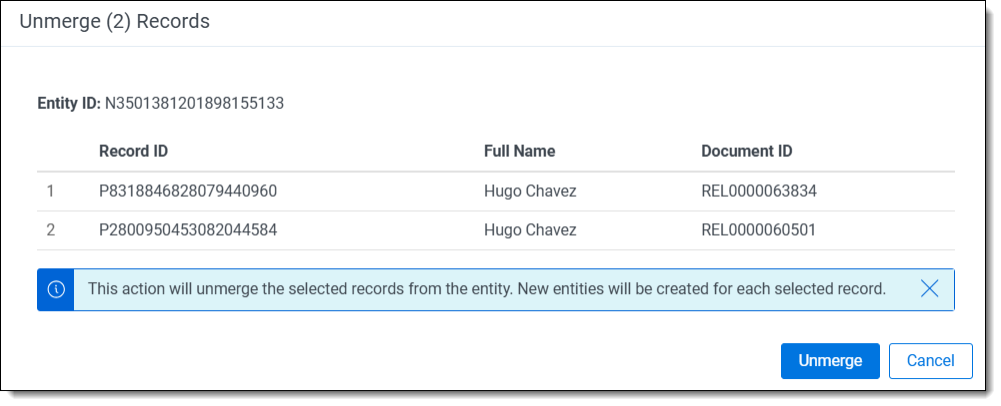
When you unmerge records from an entity, the system creates a new entity for each unmerged record. These new entities are not re-merged during subsequent normalization runs.
To unmerge records from an entity:
- Navigate to Entity Analysis and select the Entities tab.
- Select an entity from the entity list to open the Entity Detail view.
- In the Records section, select the checkbox next to each record you want to unmerge.
- Select the Unmerge mass action option.
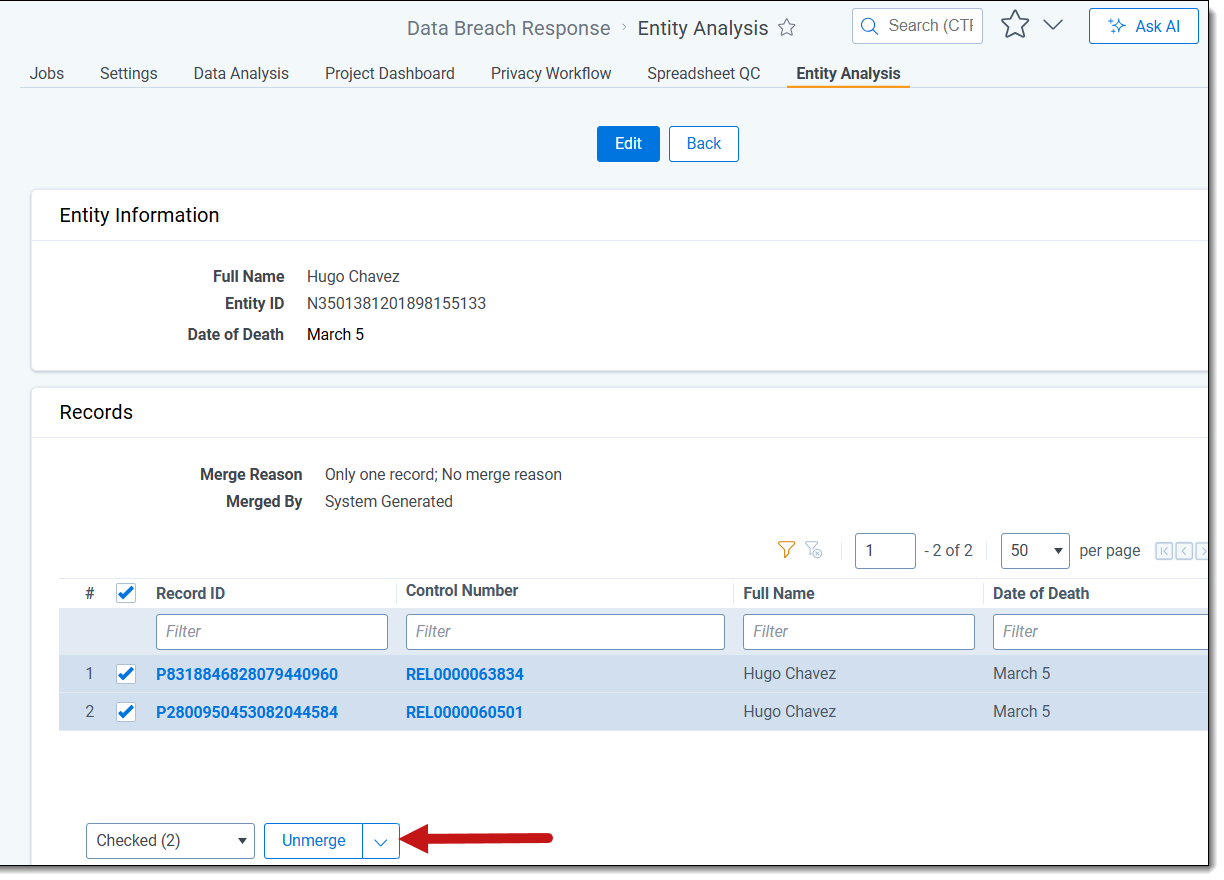
- Review the records set to be unmerged, and then click Unmerge to confirm.