FOIA Disclosure Center
The FOIA Disclosure Center provides statistics and insights on released documents. The portal features a dashboard that highlights recent trends and an associated table that can be filtered by selecting a card on the dashboard.
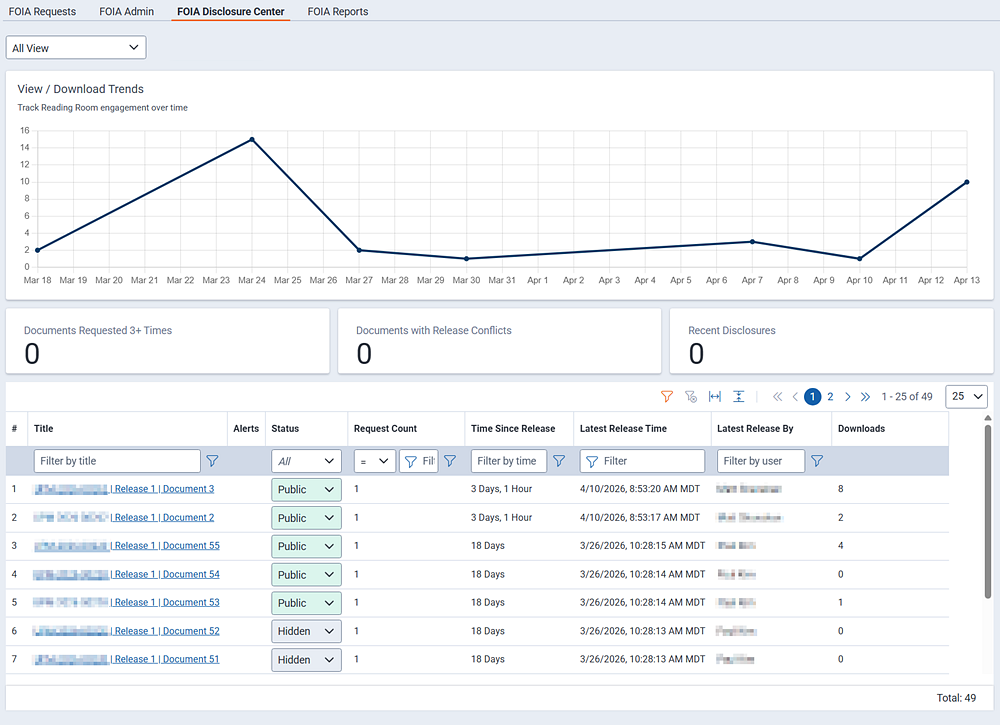
Charts:
- Document Inventory by Age—displays the number of released documents grouped by how long ago they were released. This helps administrators monitor the consistency of disclosures and identify gaps in document releases.
- View / Download Trends—displays view and download activity in the Reading Room. By default, it shows activity across all documents. When you select a document from the table, the chart updates to focus on that document and opens its disclosure audit. The disclosure audit provides a historical record of post-disclosure activity.
Cards:
- Documents Past Retention (case closed 3+ years ago)—displays the number of documents where the case was closed three or more years ago.
- Disclosure Center: Recently Added (past 30 days)—displays the number of documents added to the Disclosure Center in the last 30 days.
- Reading Room: Published (past 30 days)—displays the number of documents made visible to the Reading Room in the last 30 days.
- Reading Room: Recently Hidden (past 30 days)—displays the number of documents hidden from the Reading Room within the last 30 days.
Document table:
This table displays information about previously released documents. Fields include:
- Document Title—the document title. Documents are typically .tiff or .pdf files.
- Request Tracking Number—the number assigned to the request. This number is associated with the agency assigned the request.
- Request Status—indicates the current status of the request. Most requests will indicate Closed, meaning the request processing is complete and a final decision determined.
- Request Closed Date—the date the request was marked closed.
- Date Released—the date documents were released.
- Release Type—the release type indicating how documents were released. Options include:
- Interim—a partial disclosure of responsive records provided before FOIA processing is complete.
- Reading Room—publication of approved records to the Reading Room for proactive disclosure and public access.
- Final—the agency's complete and official response that closes the FOIA request.
- Initial Release Channel—indicates how the document entered the disclosure inventory.
- Requester—the document was released as a result of a formal request.
- Reading Room—the document was released proactively by the agency to the Reading Room.
- Both—the document was released simultaneously as a response to a specific request and published to the Reading Room at the same time
- Initial Delivery Method—indicates how the release was first delivered to the requester.
- Email—the records were sent as attachments or linked to from an email.
- Private Reading Room—the agency posted the release to an access-controlled reading room.
- Active Private Reading Room—indicates whether the private Reading Room link is live or accessible.
- First Party—indicates whether the records are first party, or directly associated with the requester.
- File Size—the size of the released document set.
- Download Count—the number of times the release has been downloaded from the Reading Room.
- Last Published—the date the release package was recently published or republished to the Reading Room.
- Reading Room Visibility—indicates if the document is viewable by the public or hidden.


