


Feedback

You can perform a conflict check that compares the documents in the production against those in a saved search selected in the Production Restrictions field on the workspace details page. For example, the saved search may include conditions that identify privileged documents and their families, which you would not want to produce. See Production restrictions.
You must have permissions to the documents included in a production to remove production restrictions.
When you click Check for Conflicts, a Production Restrictions warning may appear if a saved search is being used to restrict productions.
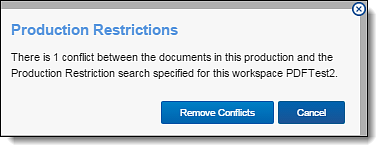
Click one of these buttons to resolve the conflict:
To view a list of documents removed from the production, navigate to the History tab, and filter on the Production - Remove Document action.
