


Feedback

The Cookie Signing Certificate is a specialized certificate designed specifically to mitigate potential security risks associated with cookie management. It can be updated using the Procuro tool on the Primary SQL server by following these steps:
Log in to the primary SQL server using the Relativity Service Account.
Access the Procuro directory (for example, C:\Program Files\kCura Corporation\Relativity\Procuro).
Launch kCura.EDDS.Procuro.exe as administrator.
Click the Upgrade button. For troubleshooting, see the scenarios in the following section.
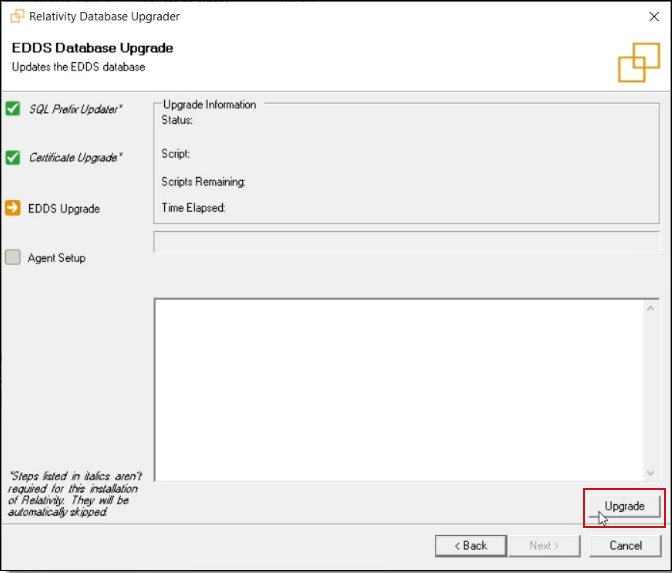
Close the Procuro window.
The certificate is valid for two years and cannot be replaced with a custom certificate.
This procedure updates only the cookie signing certificate. The identity server certificate is a separate certificate with its own update procedure. Do not use the Update Certificate option in Procuro for the cookie signing certificate. That option always updates the identity server certificate. For more information, see Identity server certificate.
Use the following scenarios to understand how the system updates the cookie signing certificate when you click the Procuro Upgrade button.
Scenario 1: Certificate is expired
If the cookie signing certificate is expired, clicking the Procuro Upgrade button deletes the expired certificate and creates a new entry in the eddsdbo.CookieCertificateState table.
Scenario 2: Certificate state is set to 0
If you manually set the state of the existing cookie certificate to 0, clicking the Procuro Upgrade button adds a new certificate entry to the eddsdbo.CookieCertificateState table.
Scenario 3: Certificate rows are deleted
If you delete all rows from the eddsdbo.CookieCertificateState table, clicking the Procuro Upgrade button creates a new certificate entry in the table.
For additional details, see the knowledgebase article How to Renew CookieSigning Certificate on the Relativity Community site.
