


Feedback

This dashboard provides a comprehensive view of storage utilization and performance across your hosts. It tracks key metrics at the device level (including disk usage, read/write operations, and I/O throughput) allowing you to monitor system capacity, identify storage bottlenecks, and ensure efficient disk utilization. This dashboard is ideal for understanding how storage resources are consumed across hosts and for detecting trends or anomalies that could impact application performance.
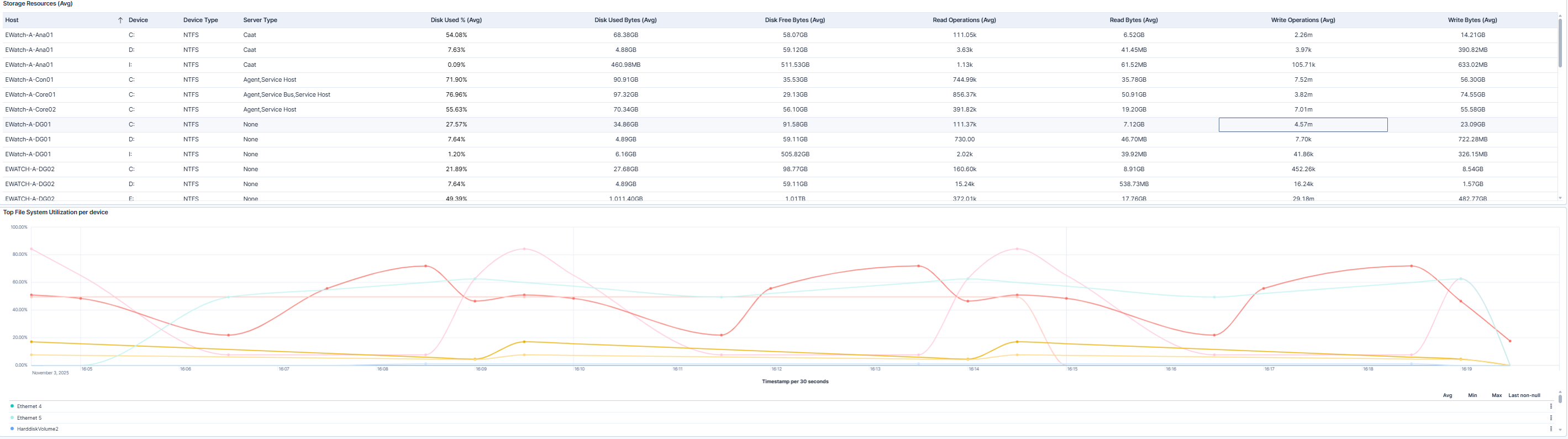
The dashboard displays a table of storage resources across hosts and devices, along with a graph highlighting the devices with the highest file system utilization. You can quickly see metrics such as disk usage, read/write operations, and throughput, helping you identify disks that are under heavy load or nearing capacity.
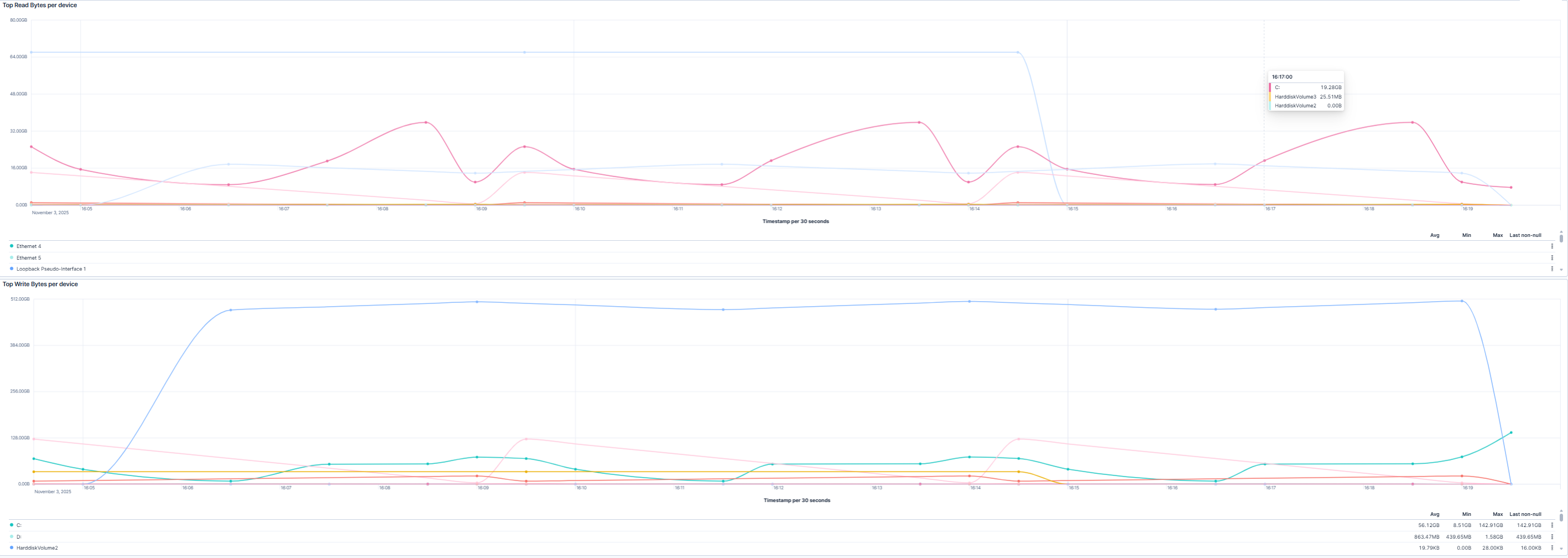
The dashboard displays two graphs showing the devices generating the most disk I/O. The first highlights the top read bytes per device, and the second shows the top write bytes per device. These visualizations help you pinpoint storage-intensive devices and identify potential I/O bottlenecks across your hosts.
| Use Case | Description |
|---|---|
| Monitor storage capacity | Track disk usage and ensure storage resources are not nearing full capacity. |
| Troubleshoot disk performance | Identify devices with heavy read or write activity that could impact system performance. |
| Detect anomalous disk activity | Detect unusual spikes in disk usage or I/O that may indicate misconfigured applications or failing hardware. |
| Optimize storage resources | Allocate storage and balance workloads based on observed disk utilization trends. |
