


Feedback

This dashboard provides low-level performance visibility into Mass Import batch execution within your Relativity environment. It expands on the Mass Import Overview dashboard by exposing detailed timing metrics for overall batch duration, SQL execution performance, and individual import processing stages. This dashboard supports in-depth troubleshooting and performance analysis when import jobs experience latency, failures, or inconsistent throughput.
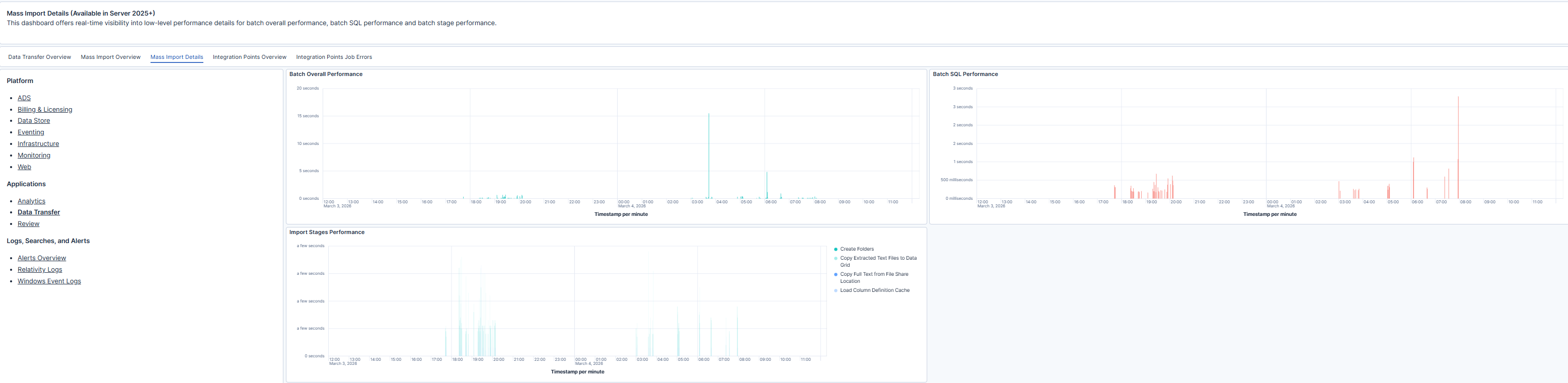
The dashboard provides time-series visibility into Mass Import performance at both the batch and stage levels. Batch-level metrics include:
Stage-level metrics break down performance within the import pipeline, including activities such as:
By reviewing batch and stage metrics together, administrators can determine whether performance delays originate from SQL execution, overall batch orchestration, or a specific import stage.
| Use Case | Description |
|---|---|
| Troubleshoot slow import batches | Determine whether delays are caused by SQL processing, overall batch handling, or a specific import stage. |
| Diagnose database bottlenecks | Use SQL performance trends to identify sustained or recurring database latency. |
| Investigate stage-level latency | Isolate infrastructure or file share performance issues affecting specific import steps. |
