Feedback

If you download a ZIP file (or another installer or archive) from the internet, Windows may block the file and prevent it from running correctly. Before installing Elastic components, verify that downloaded files are not blocked by Windows security.
If you extract files from a ZIP archive, confirm that the ZIP file is unblocked before extracting it.
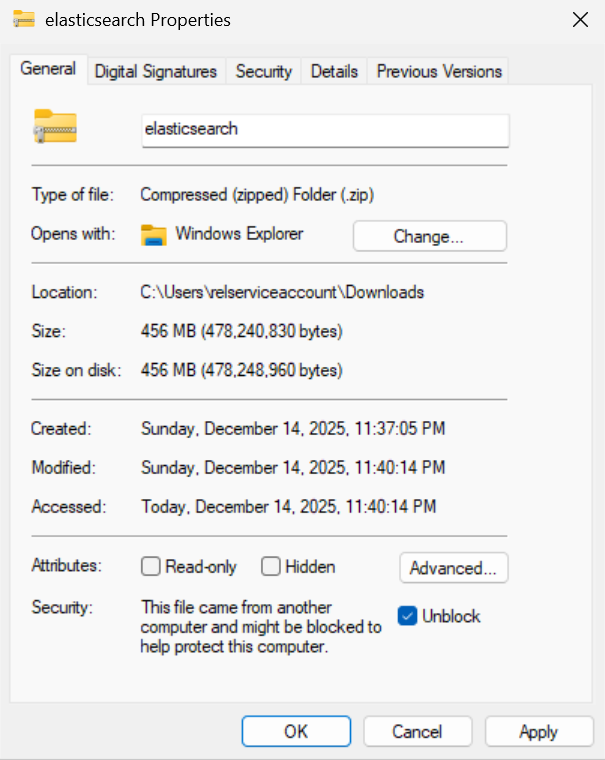
To unblock a file:
Right-click the downloaded file and select Properties.
In the General tab, check the box for Unblock at the bottom (if present).
Click Apply and then OK.