


Feedback

This dashboard provides insights into SQL Server resource utilization at the process level. It helps monitor CPU, memory, and I/O performance across SQL Server processes to identify bottlenecks, resource contention, and performance trends.
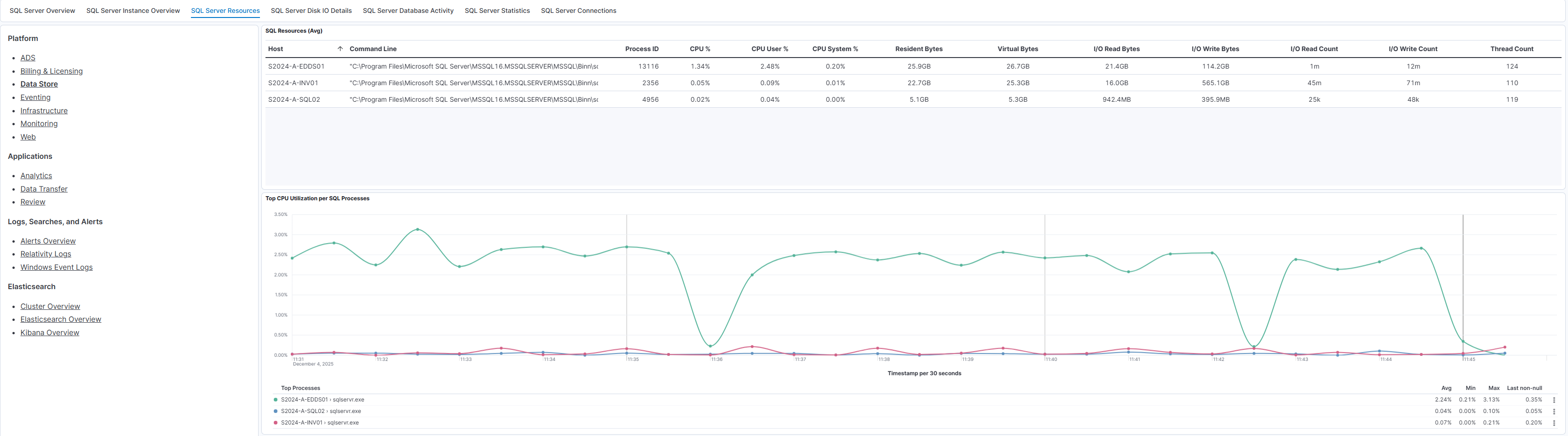
This dashboard displays SQL Server process-level statistics including CPU, memory, and I/O metrics. The top section lists SQL process IDs, command lines, and associated usage metrics. Graphs below show:
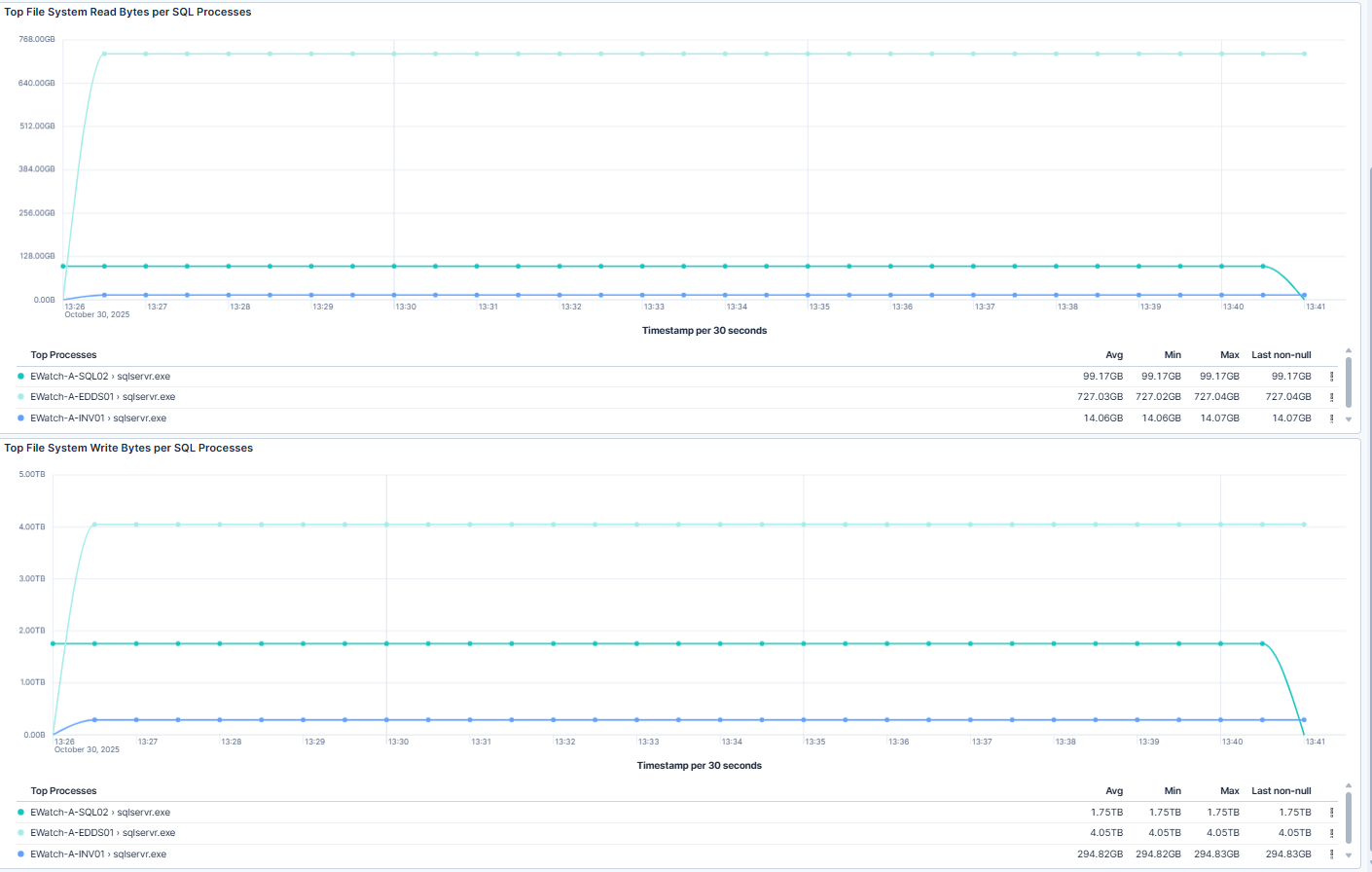
This dashboard shows system I/O throughput trends for SQL Server processes:
| Use Case | Description |
|---|---|
| Monitor SQL Server resource usage | Monitor SQL Server process-level CPU and memory utilization for performance tuning. |
| Detect abnormal I/O patterns | Detect abnormal I/O patterns that may indicate storage performance issues. |
| Identify resource-heavy instances | Identify resource-heavy SQL Server instances for workload optimization. |
