


Feedback

This dashboard monitors connectivity between Relativity Servers, BCP file share, and the file shares that Relativity actively supports. It validates read/write access to the default Relativity file share, BCP file share, and cache location share from all Relativity server roles that require access, including Agent, Web, Queue Manager, and Worker servers. The dashboard reflects the current accessibility status of all monitored file shares, while the alerting system continuously evaluates connectivity in the background. When an issue is detected, alerts identify the affected file share, and the dashboard provides detailed context to help pinpoint the source of the problem. Users can drill into three linked sub-dashboards for deeper investigation:
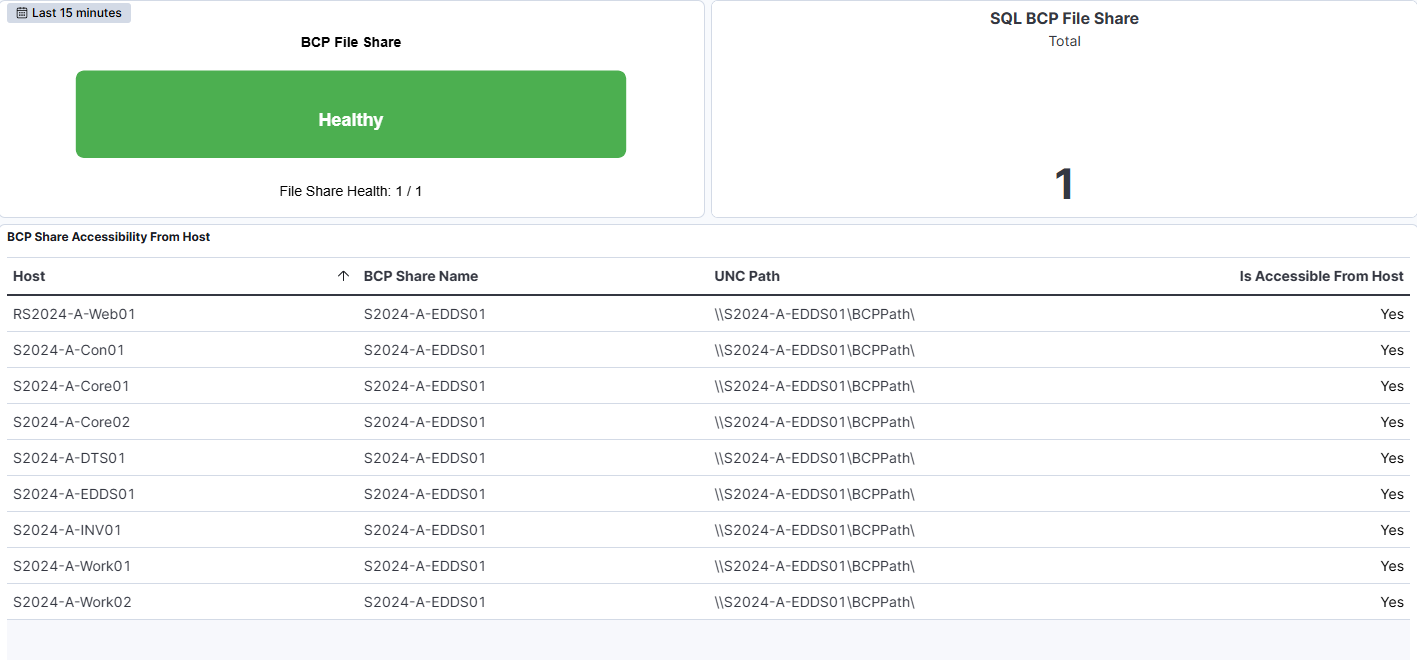
The Overview dashboard consolidates all health indicators for SQL BCP, Relativity file shares, and cache location shares in a single view. It provides an at-a-glance summary of the accessibility status across all monitored shares, enabling quick identification of any connectivity issues affecting the environment. Each health indicator reflects the current state of its respective share type, with color-coded status markers to highlight problems immediately. This overview serves as the primary entry point for monitoring file share health before drilling into specific sub-dashboards for detailed investigation.
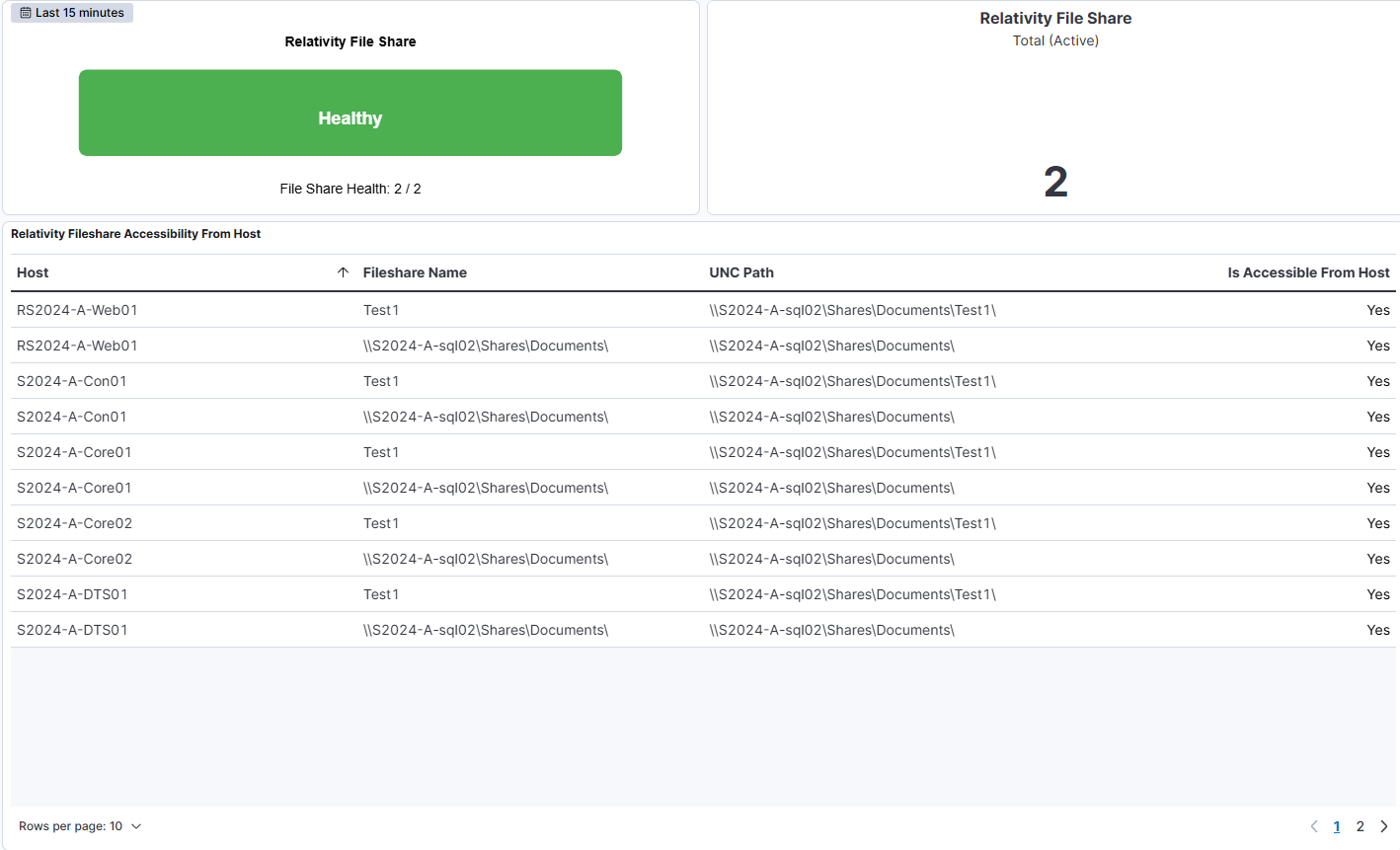
The BCP dashboard shows the active share count for BCP file shares along with detailed accessibility information. The accompanying metric displays how many BCP file shares are currently being monitored. Below, the table BCP Share Accessibility From Host lists each monitored host, the BCP share name, the UNC path, and whether the share is accessible from that host. If a share is not accessible, the value in the 'Is Accessible From Host' column appears as 'No' in red, drawing immediate attention to connectivity issues. When an alert is triggered, the dashboard highlights the corresponding accessibility failure, allowing users to quickly identify and investigate the specific host or file share experiencing issues.
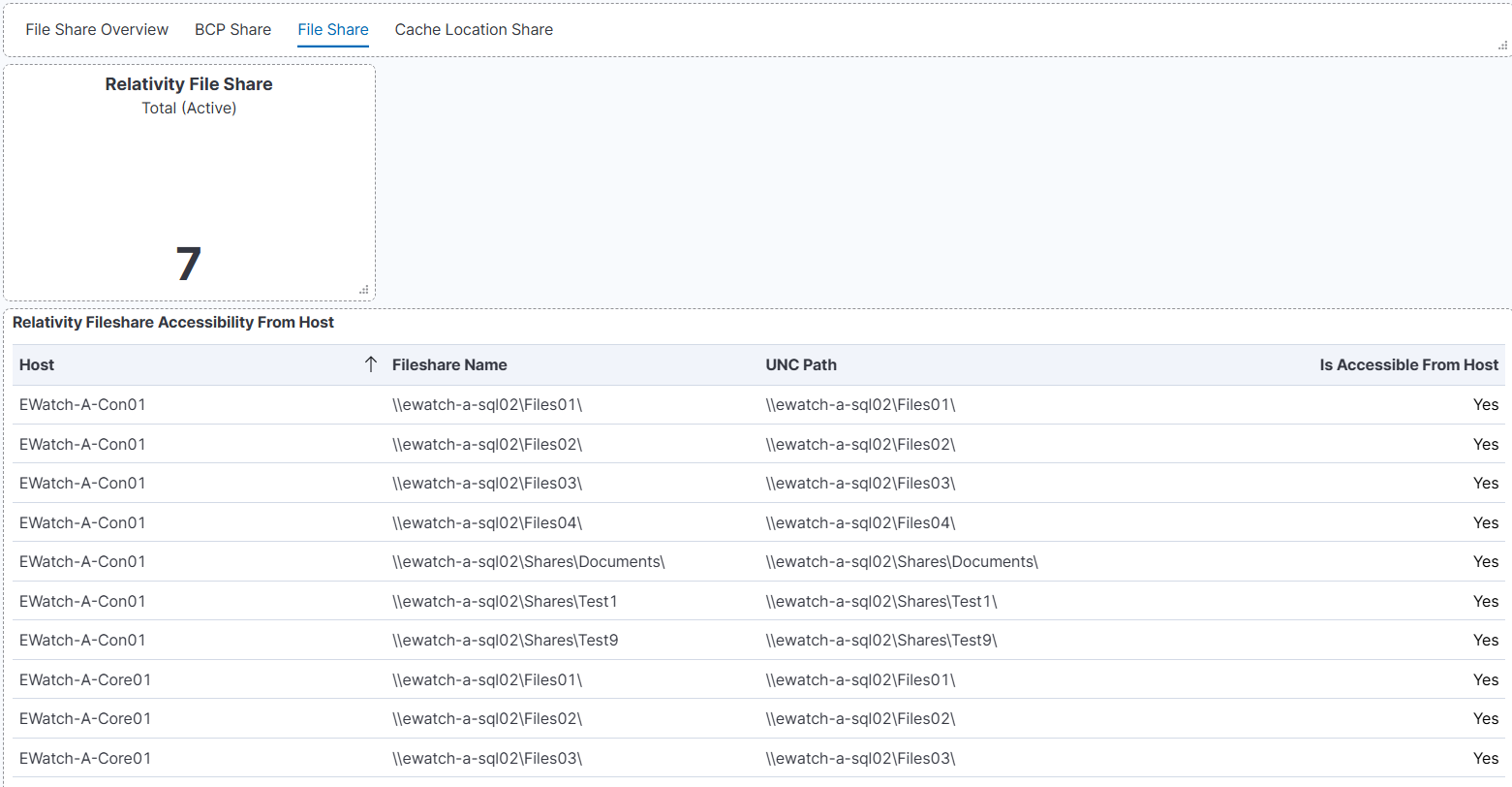
The Fileshare dashboard provides visibility into Relativity file share accessibility. The metric shows the active share count for Relativity file shares being tracked. The accompanying table lists each file share with its host, UNC path, and accessibility status, allowing you to verify that all Relativity file shares are reachable from their respective servers. If an alert is raised, the dashboard clearly identifies the affected share, supporting rapid diagnosis and resolution.
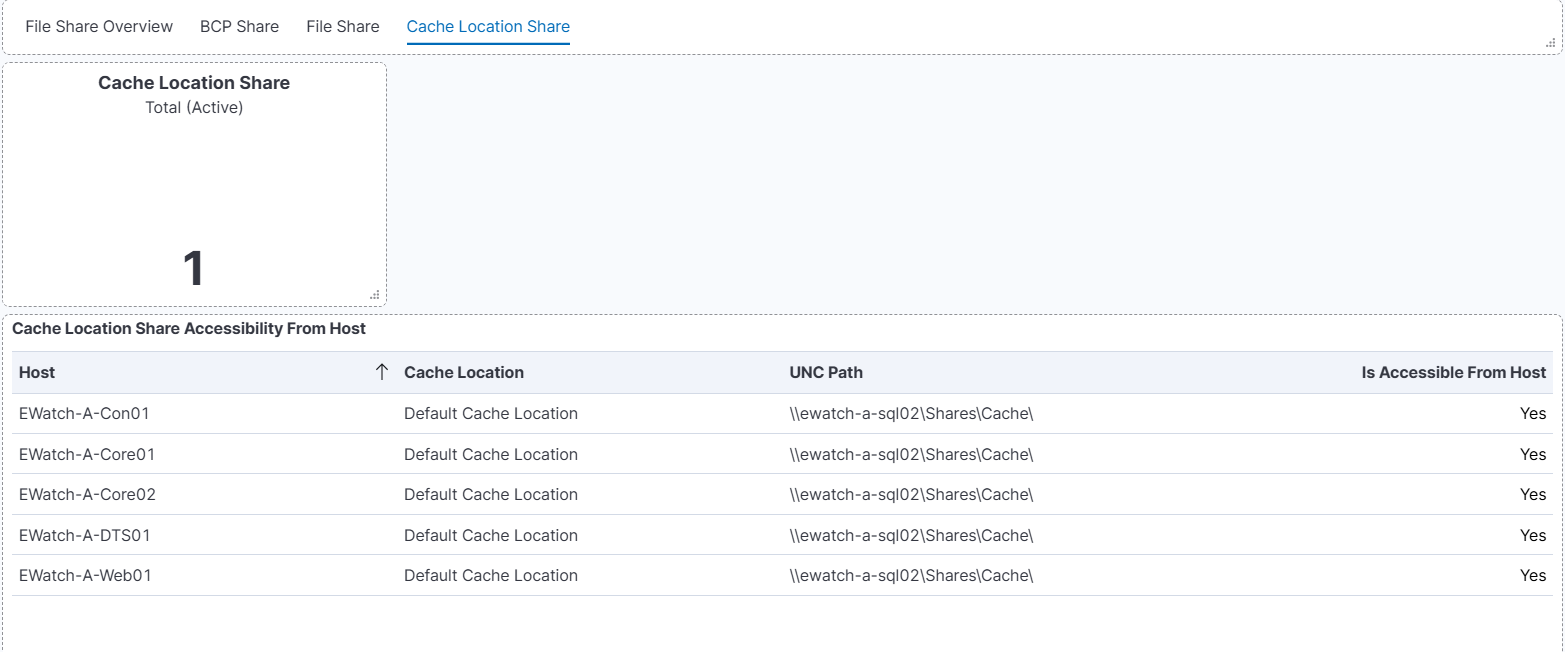
The Cache Location dashboard monitors the accessibility of cache location shares used by Relativity. The metric displays the active share count for cache location shares currently being monitored. The table below provides detailed accessibility information for each cache location share, including the host, UNC path, and current accessibility status. Monitoring cache location shares ensures that caching mechanisms required by Relativity services remain operational and accessible from the necessary server roles.
| Use Case | Description |
|---|---|
| Monitor file share and BCP health | Confirm that SQL BCP, Relativity file shares, and cache location shares are accessible from Relativity servers. |
| Improve alert visibility | Instantly detect and investigate accessibility issues using clear, color-coded health indicators. |
| Troubleshoot proactively | Identify connectivity problems before they lead to workflow interruptions. |
| Validate operational readiness | Use the dashboard during environment checks or maintenance windows to verify that all file shares are online and responding correctly. |
